There’s something weirdly humbling about being asked to redesign a phone icon. You know—the phone icon. The one muscle memory hits before your brain catches up. The one your grandma knows. The one you’ve seen ten thousand times but could never actually describe. That one.
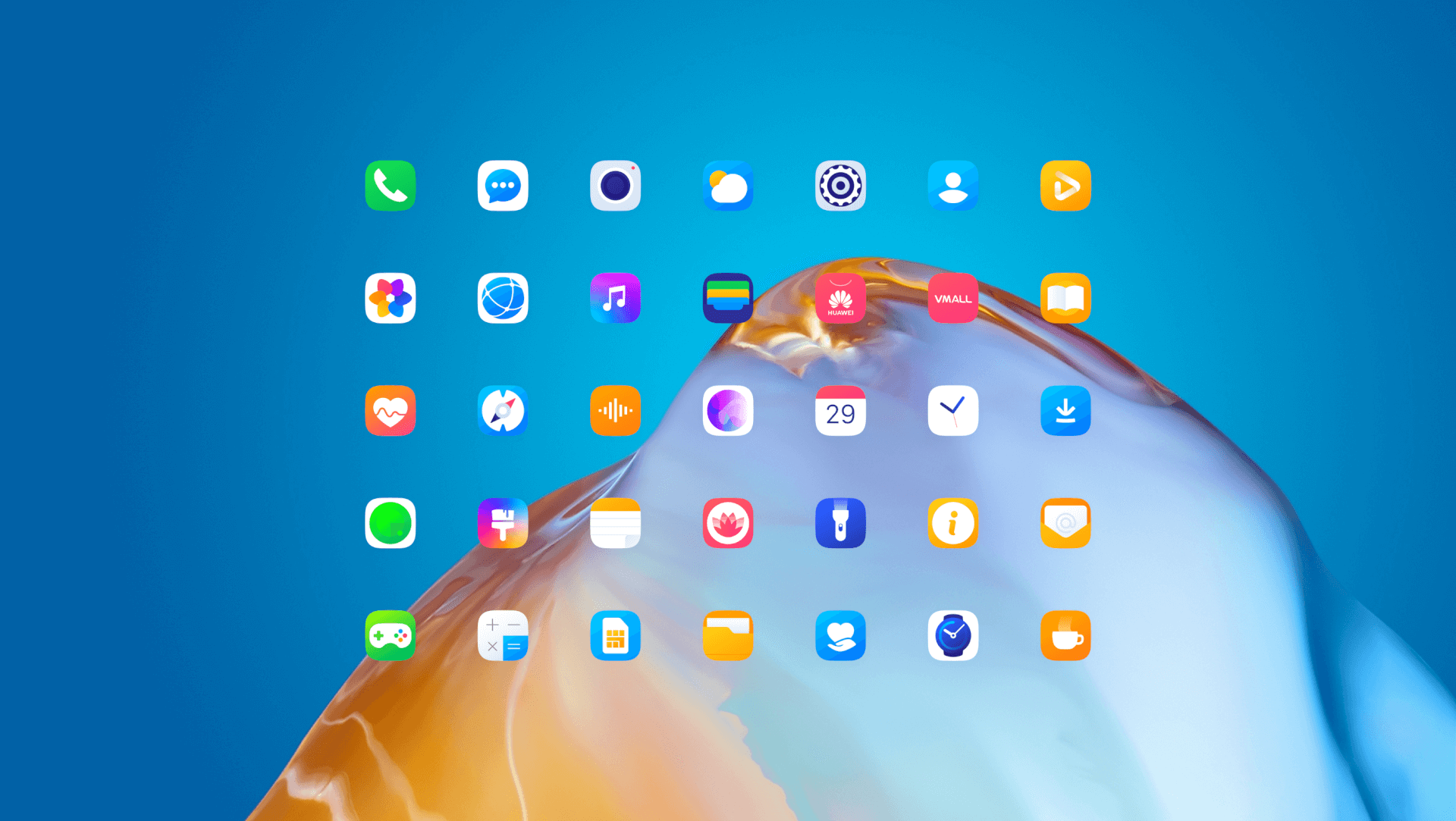
So when Huawei reached out in the summer of 2019 to reimagine 54 system icons for their new EMUI 10 interface—the kind of icons you tap without thinking—we were flattered. Then terrified. Then obsessed.
This is the story of how Tubik team took a red dot, a square, and a few dozen sketches… and made something that ended up in millions of people’s pockets.
The Brief: Reinvent the Familiar, But Don’t Break It
The client, Huawei, wanted a fresh perspective for the flagship devices running EMUI 10, starting with Mate 30 and later, the P40 series. The brief wasn’t vague. But it wasn’t easy either.
Design 54 core app icons. Make them consistent. Make them modern. Make them feel premium. And most importantly, make them feel like Huawei—familiar to loyal users, yet fresh enough to attract new ones.
Icons are tiny, but they do big work. They’re the visual handshake of the OS. And if you mess them up—even by a pixel—the whole experience starts to wobble. We knew this had to be one of those cases where less isn’t just more. It’s everything.
The Team: Small Crew, Big Pixels
Art direction came from Sergii Valiukh, Tubik’s founder. With a background in architecture, he brings a structural lens to visual design—thinking in systems, balance, and form. That meant every icon wasn’t just drawn, it was constructed and anchored.
Graphic design was led by Arthur Avakyan, our illustrator and one of Tubik’s earliest team members. With deep experience in branding and graphic identity work, creating a consistent icon set for a global brand like Huawei was exactly his kind of problem. Meanwhile, project management came from Polina Taran, who kept the whole thing moving even when the rest of us were stuck redrawing a weather icon for the 12th time.
The Process: Grid First, Chaos Second
Before we got creative with gradients or experimental forms, we built a grid. A strict one. Something that could hold the entire system together—square or circle, bold or minimal. We didn’t want icons that looked like a bunch of freelancers did them in different time zones. We wanted cohesion, weight, shared backbone.
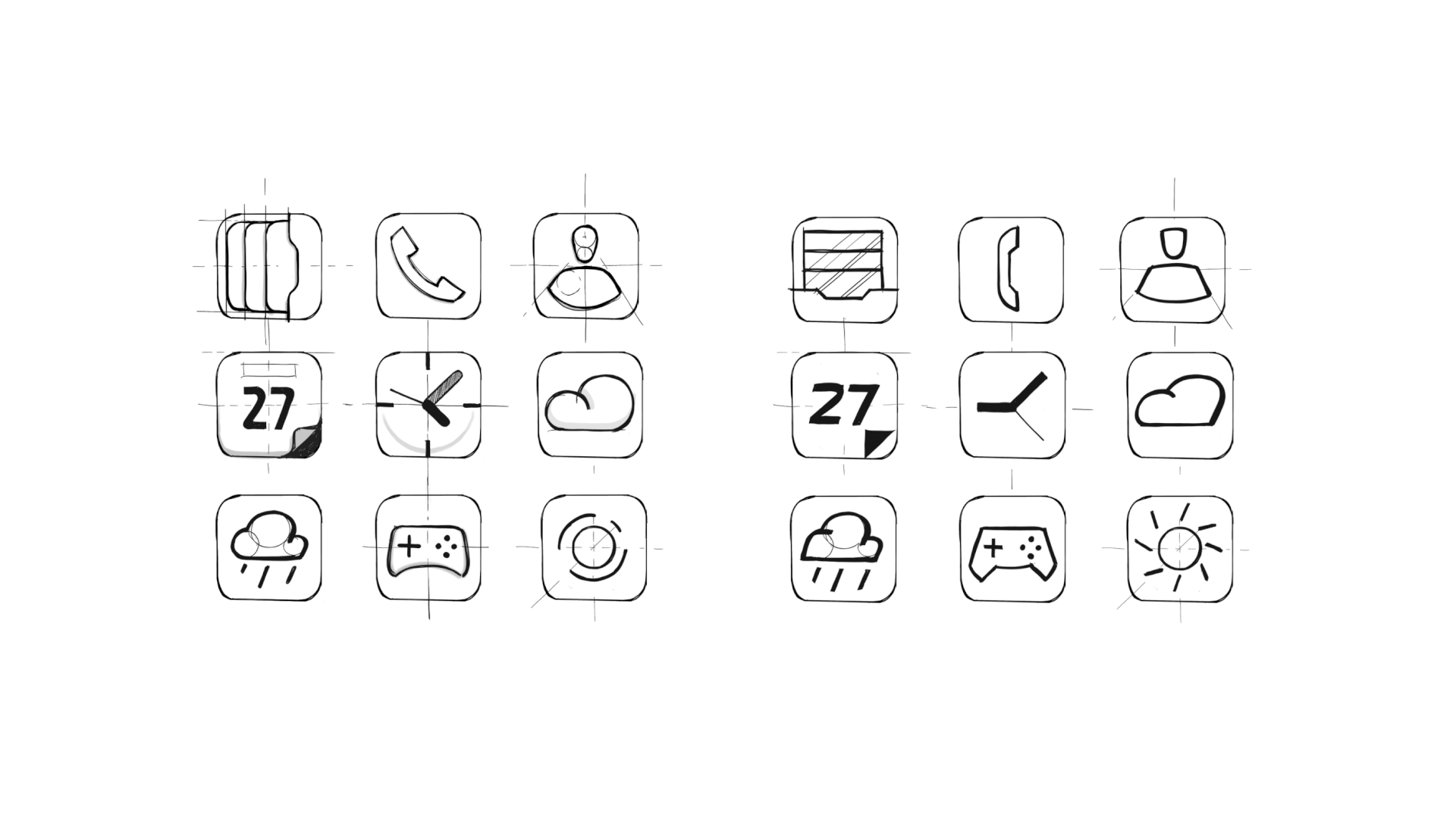
Then came the sketching. There’s no faster way to humble yourself than trying to redesign the messaging icon. Or the camera. Or the calendar. We tried extremes: abstract overlaps with no visible frames. Overly literal concepts that felt like stickers. Wild palettes—we played with maroon, ultraviolet, even a questionable neon green that only lasted 48 hours.
But we kept coming back to one thing: simplicity is brutal.
Finding the Right Feel: Geometric, but Not Cold
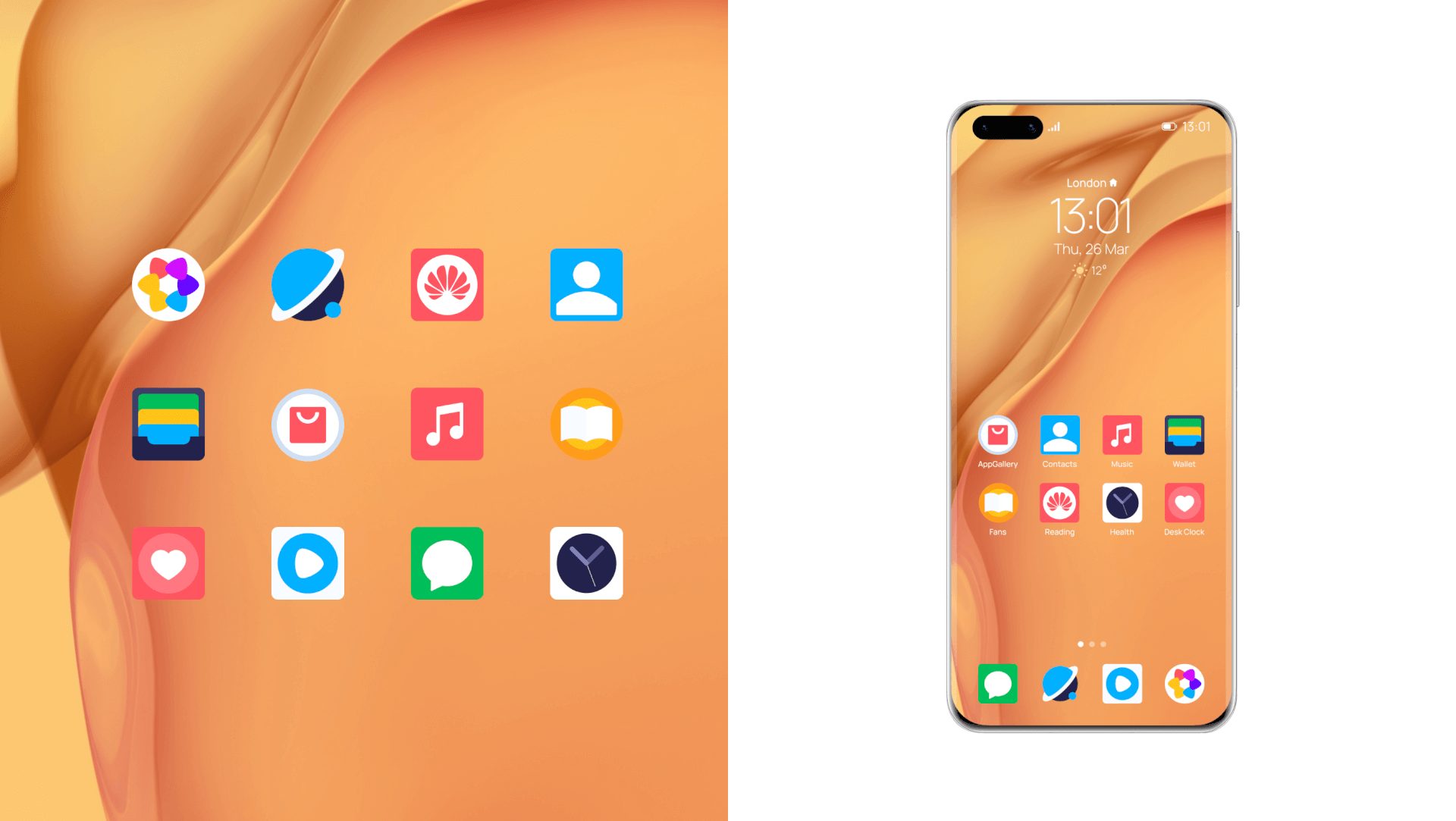
Once we had the structure, we played with form. Could a wallet icon be asymmetrical—with a card poking out? Could the weather icon break the grid entirely and float freely? Could circles dominate without becoming cartoonish?
We leaned into geometric primitives but avoided turning the system into a sterile geometry showcase. It still had to feel like part of an OS made for people, not a design poster pinned up in a first-year visual composition class.
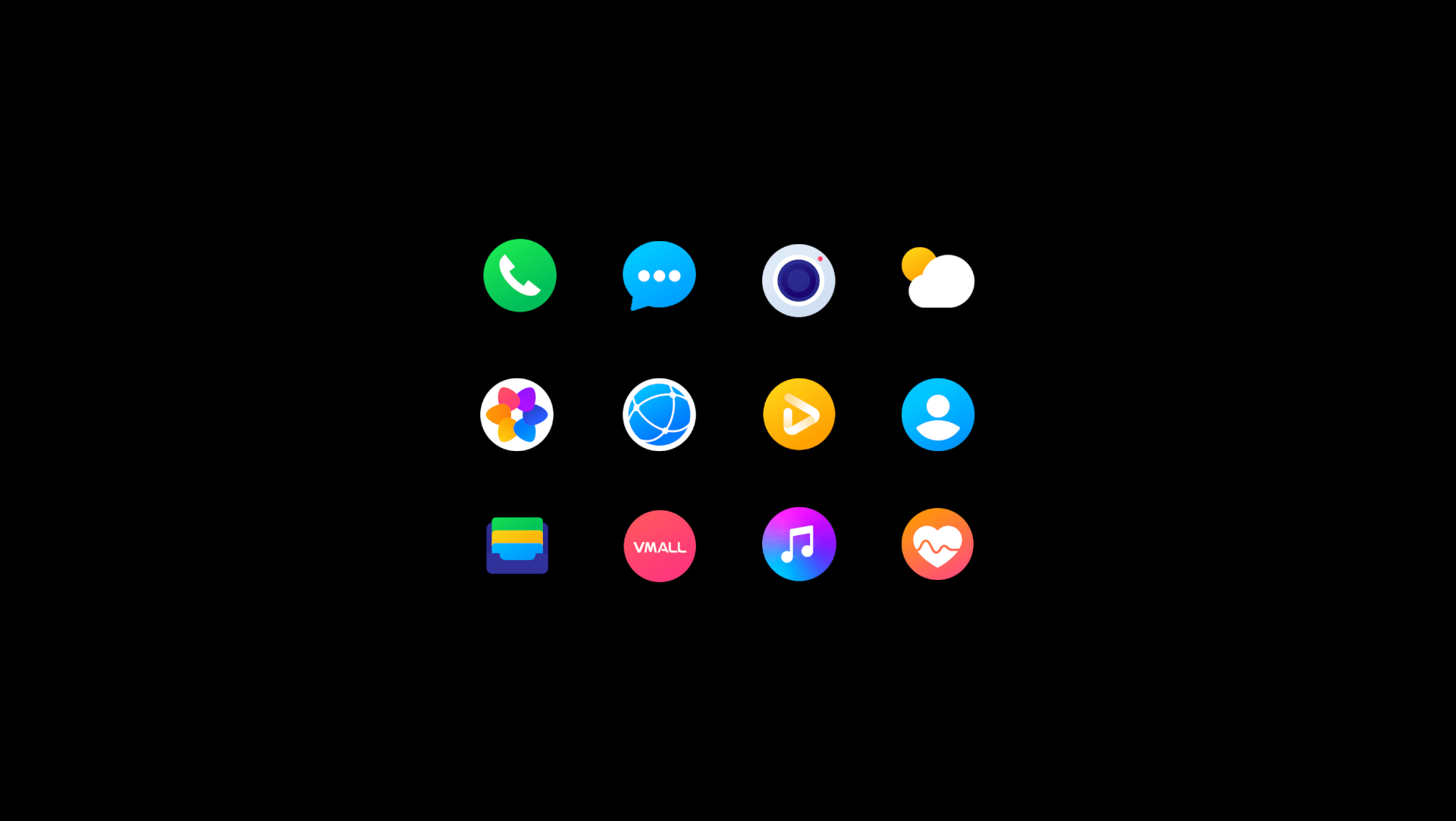
Eventually, we added gradients back in—softly, like seasoning. Too much, and the icons looked like candy. Too little, and they felt cheap. But the right touch of depth gave everything that premium “slide-your-finger-across-it” texture we wanted.
We reduced corner radii, anchored everything back to the grid. And somehow, after weeks of testing, tweaking, and arguing over pixel spacing, we had our system.
The Photo Icon: A Dot, A Legacy, A Decision
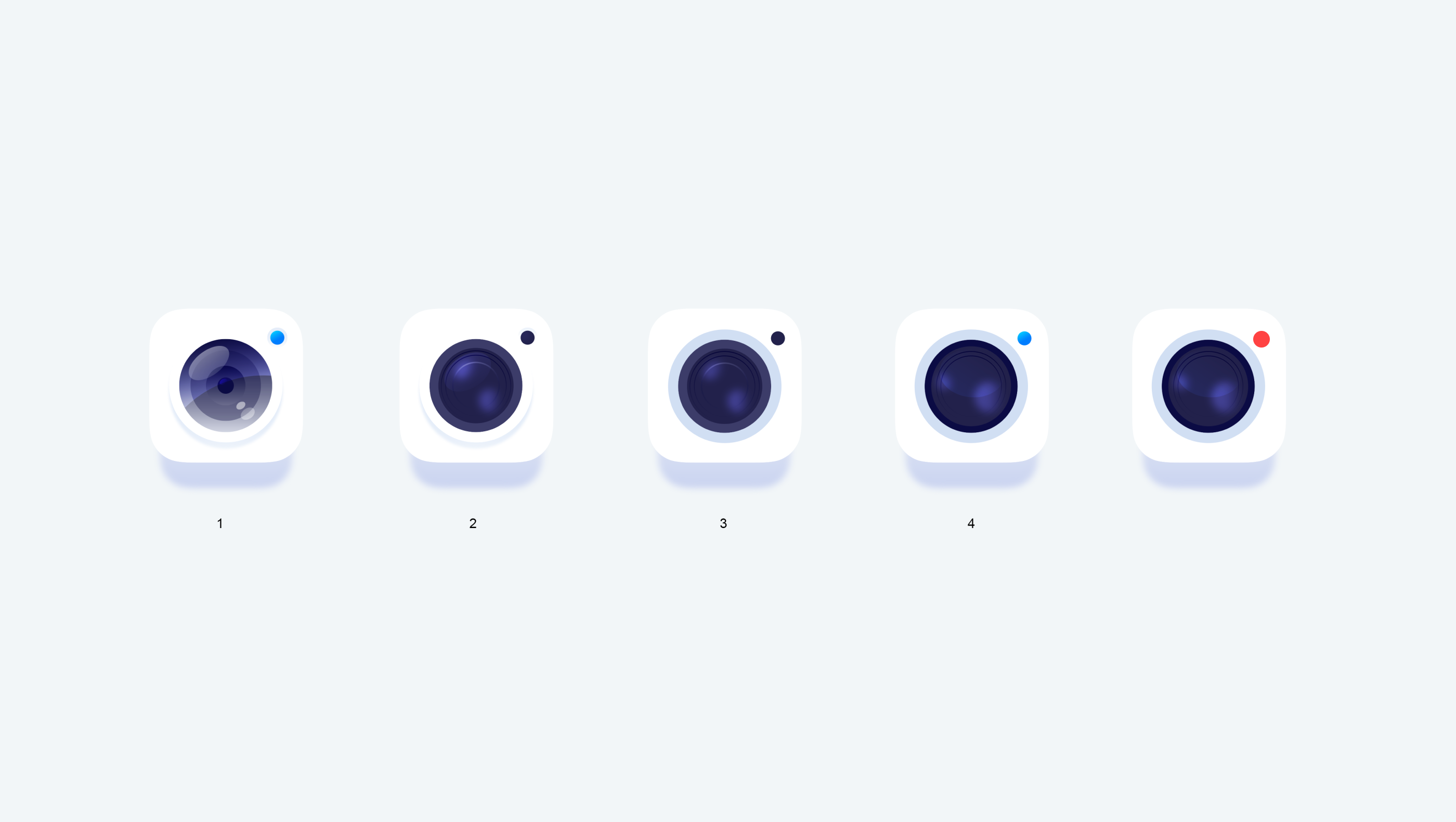
Some icons fought back harder than others. The photo app, for example. Every version felt wrong. Too flat. Too generic. Too iOS. But one detail kept resurfacing—a red dot in the top-right corner. The more we experimented, the more it insisted on staying. Eventually, we understood why.
Huawei’s collaboration with Leica, the iconic German camera manufacturer, is a key part of the product identity. Since 2016, Huawei smartphones—especially the flagship lines—have been equipped with Leica-engineered lenses. For many users, this partnership signals one thing above all: photographic quality that rivals professional cameras.
And Leica’s visual identity? That unmistakable red circle logo.
It made sense. The dot wasn’t just for decoration; it was legacy. A quiet, confident nod to one of the most respected names in photography—and to Huawei’s own commitment to image quality. So we kept the dot as a symbolic gesture. A visual shorthand for the Leica connection. A mark that felt both premium and precise.
Tiny, yes. But that’s the thing about icon design. The smallest details often do the heaviest lifting.
The Result: Subtle, Strong, and In Your Pocket
You might not notice them at first—and that’s the point. These icons now live in the hands of millions of people across the world. They were part of the Huawei EMUI 10 interface, shipped with flagship models like the Mate 30, P40, and beyond. Whether you’re in Shenzhen, Berlin, or São Paulo, there’s a good chance you’ve tapped one of them.
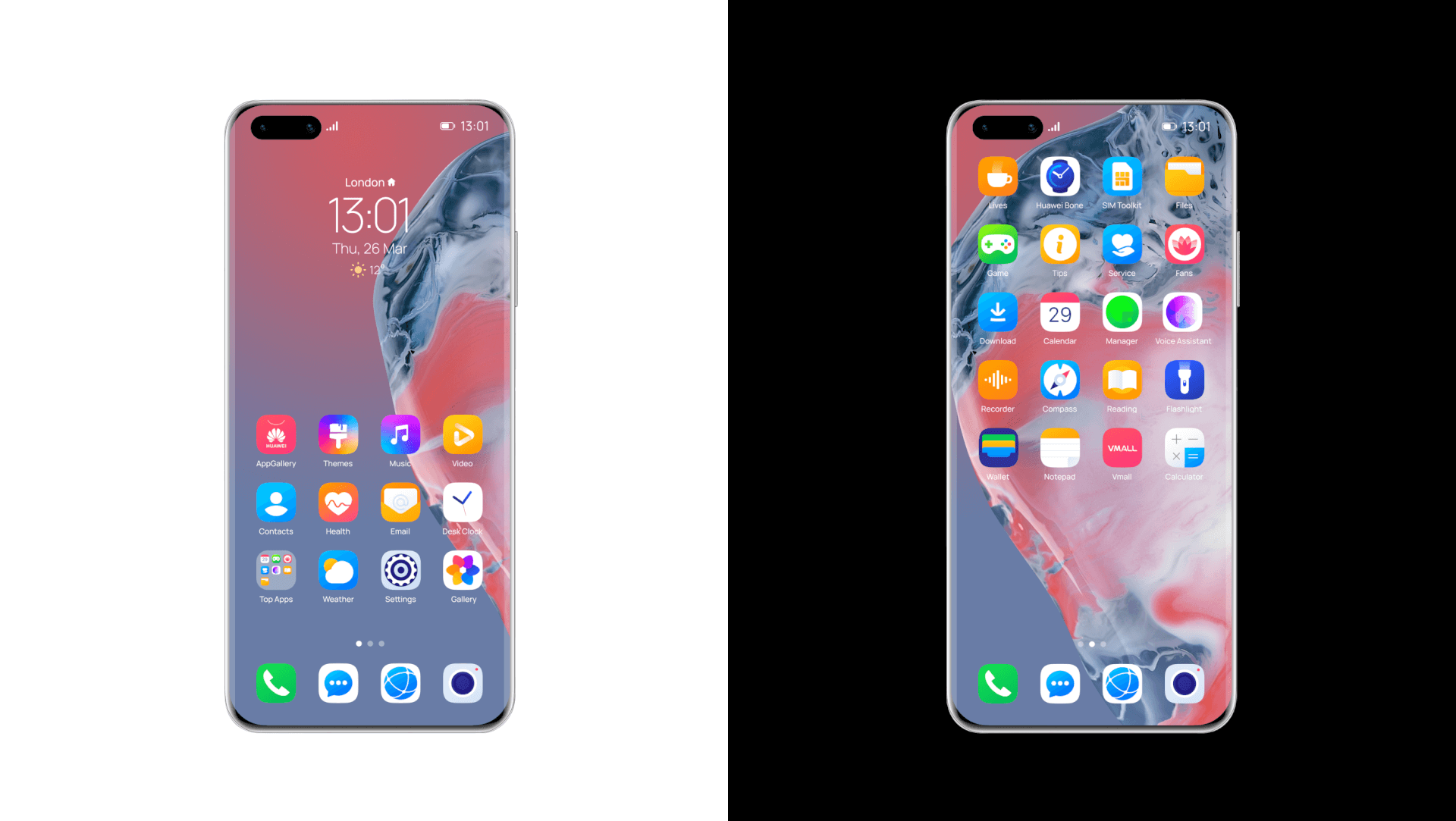
They’re not flashy, they belong. That’s what makes icon design such a strange and fascinating craft—it’s invisible when it’s good. Quiet, but essential. A language users speak fluently without realizing it. And to get it right, you have to think about everything: the pixel weight, the curve tension, the color temperature at different screen brightness levels. You have to care, deeply, about things most people never consciously see.
But that’s why we love it. Because when it works—when it really works—the experience becomes seamless. It becomes human.
Curious What Else We’ve Been Up To?
Explore other case studies where we dig into the thinking, sketching, and building behind our UX and brand design work.
Lumen. Website for Museum of Mountain Photography
GNO Blankets. Branding and Web Design for Ecommerce
Designer AI. Dashboard and Graphics for Fashion Service
Pazi. UX and UI Design for Vehicle Safety Mobile App
CashMetrics. UX Design for Finance Management Service
Bitex. UX Design for Stock Analysis App
Inspora. Brand and UI Design for Virtual Stylist