You don’t translate a toy into code. You reconstruct it—motion by motion, material by material, until it behaves the way it looks.
Der Baukasten was never meant to be a static object. The scroll had to build the creature in real time. Each click, a snap. Each section, a puzzle piece. It needed to feel physical—not in metaphor, but in muscle memory.
That’s where development started.
Scroll as Timeline
We didn’t treat the scroll like a camera move. We treated it like a timeline. The structure was built around GSAP and Lenis: one for motion control, the other for inertia—to make the scroll feel like it had weight.
Instead of triggering animations on scroll, we tethered scroll position to a timeline. Each baked Blender animation—pre-assembled, pre-sliced—lived inside Three.js’s AnimationMixer. We didn’t play them, we scrubbed through, frame by frame. Scroll up, and the creature unbuilds itself. Scroll down, and it clicks back into place.
The camera moved only slightly. The story played out on the objects. Like a stage that never turned—only the puppets did.
From Blender to Browser
Model transfer was cleaner than expected. We exported .glb files with Draco compression to keep the weight down. One hiccup: Blender 4.4 had a bug that removed the compression toggle on export. We updated to 4.5, and the checkbox came back. Beyond that, the pipeline held. Axes aligned, pivots held, nothing drifted.
The rigging—especially the “zero point” logic from design—carried through. That anchor system let every part animate in sequence without overlapping. No mid-air collisions, no chaos. Like clockwork, except it flapped.
The Plastic Illusion
But the hardest part wasn’t movement. It was stillness.
We needed these creatures to look like toys. Not 3D renderings of toys—toys. Something your kid could chew on. Something that squeaked if you squeezed it too hard. That meant plastic. But not just any plastic.
Shiny and matte. At the same time.
That contradiction became the core challenge—and the most interesting one.
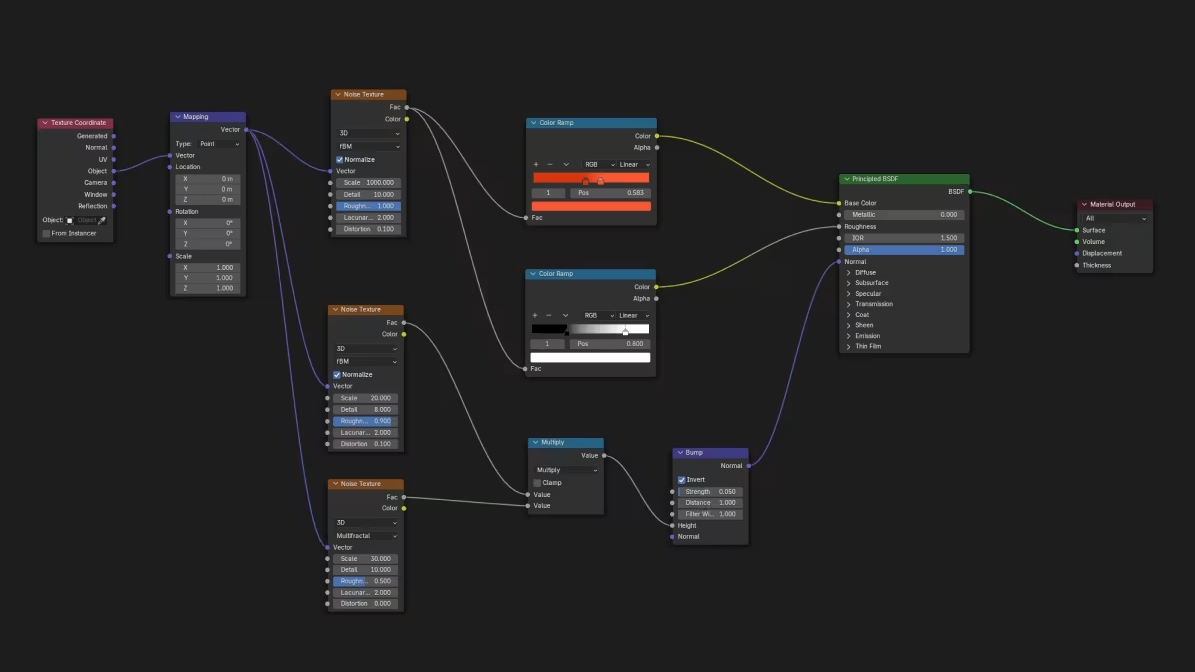
We skipped baked textures. No UVs. No image maps. Instead, we built a real-time procedural shader in raw Three.js. The result was a dynamic PBR shader powered by GLSL noise. It blended color ramps and simulated micro-detail—surface bumps, uneven gloss—all inside the browser.
The gains? Full control via GUI. Over 5MB of texture data saved. And the feel of molded plastic—somewhere between a Kinder toy and a Bauhaus collectible.
Toy Logic, Clean Code
We built everything in Nuxt 3 for speed and structure. Just clean Three.js and manual control. More work, maybe. But also more precision.
Every interactive card, every scroll snap, every timing cue was wired by hand. That modular UI—the one that shuffles, flips, and clicks—wasn’t a framework feature. It was custom logic, stitched into the scroll. Because if the toy is modular, the code should be too.
The Download Drawer
The site ends not with a CTA, but with a drawer. A quiet one.
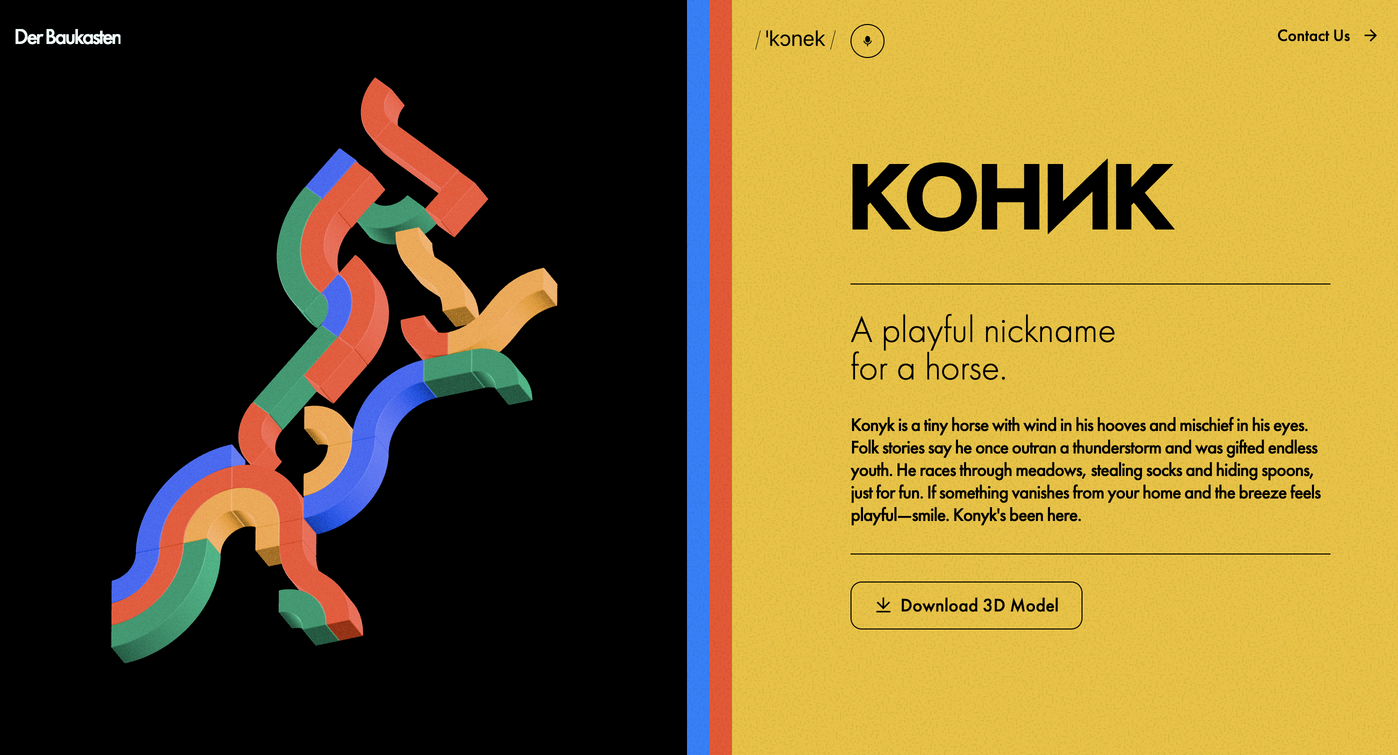
Each character comes with a name, a pronunciation guide, and a downloadable OBJ file—prepped and printable. The digital folds into the physical. The toy folds into your palm. The scroll folds into something you can take home.
Dev Lessons That Stick
What did we learn? That shaders can lie better than textures. That scroll can be more than movement—it can be rhythm. That sometimes, the only way to make something feel real is to let it play backward.
And that the hardest parts to code are the quiet ones—the things people don’t notice when they work, but always notice when they don’t.
Der Baukasten started with a sketch. It ended with a shader. Everything else—the creatures, the scroll, the glow—was built in between.
Curious What Else We’re Building?
Der Baukasten is part of our ongoing experiments in interactive systems, scroll logic, and material-driven web experiences. Explore more Tubik Lab case studies to see how ideas turn into interfaces—and interfaces turn into behavior.
Case Study: Drug Test Innocence. Website for Socially Impactful Online Resource
Case Study: Pencils of Promise. Picture Book Creation Process Step by Step
Case Study: Graneri. Artistic Granola Brand Packaging
Case Study: Advocacy Through Walls. Website Creation for Advocacy Guide