You’re reading this on a website.
That’s web development.
The buttons you don’t think twice about, the checkout that doesn’t glitch, the smooth scroll when your thumb flicks upward—that’s it, too. Code, yes, but more than that: an invisible structure for how things feel, load, and respond. Web development is what makes the digital world work without calling attention to itself. It’s what turns a brand into an interface. A vision into a viewport.
And while “everyone wants a website” is still true today, what people want has changed. They don’t want pages—they want systems. Personalized, accessible, fast-loading, SEO-optimized, mobile-friendly, animated but not annoying. And underneath it all, they want control.
That’s what modern web development offers: not just presence, but precision.
Design vs. Development: A Line Drawn in Code (and Then Blurred)
Web design is not web development, but the best teams know how to blur the line. Design speaks, development listens, then builds something better than you imagined. Designers shape perception. Developers shape behavior.
You can draw the most elegant layout in Figma, but if the site loads in 8 seconds and breaks on Safari, the user’s gone. Fast. You can obsess over every shade of blue, but if the back-end doesn’t handle dynamic content well, your marketing site won’t scale.
At Tubik, we’ve seen how structure becomes strategy. Scroll rhythm. Tap zones. Animation timing that feels like breathing, not flashing. The most successful branding projects we’ve launched were the ones where design and development weren’t just aligned—they were inseparable.

Three Pillars of Modern Web Development (and Why They Matter)
Every great website has three sides: what you see, what it does, and how it remembers. Let’s break down how each one shapes the experience, and why they all need to work in sync.
Front-End: The User’s First Impression
This is what people see. The visual layer. It’s built on HTML, CSS, and JavaScript—still the holy trinity—but wrapped in frameworks like React, Vue, or Svelte to give it power, speed, and reactivity.
Front-end development isn’t about code anymore. It’s about control. Scroll speed, animation pacing, mobile gestures, accessibility, fallback states. These choices shape the emotion of an interface. And when done right, they disappear—the user feels flow.
Back-End: The Engine Under the Surface
This is where the logic lives. APIs, databases, authentication, content structure—none of it visible, all of it essential. A good back-end makes your site not only function but adapt. It connects to a CMS, handles dynamic content, scales when traffic spikes. Common languages today include Node.js, Python, Go, and yes, PHP—still alive and well.
If the front-end is the stage, the back-end is the script, the lighting, and the crew that keeps everything moving without missing a beat.
Databases: The Memory of the Website
Where your data lives—users, content, products, form submissions. From classic relational databases like PostgreSQL and MySQL to newer tools like MongoDB or Firebase, modern developers choose based on scale, speed, and structure.
Most clients don’t see this part. But they feel it every time a product loads quickly or a contact form actually works.
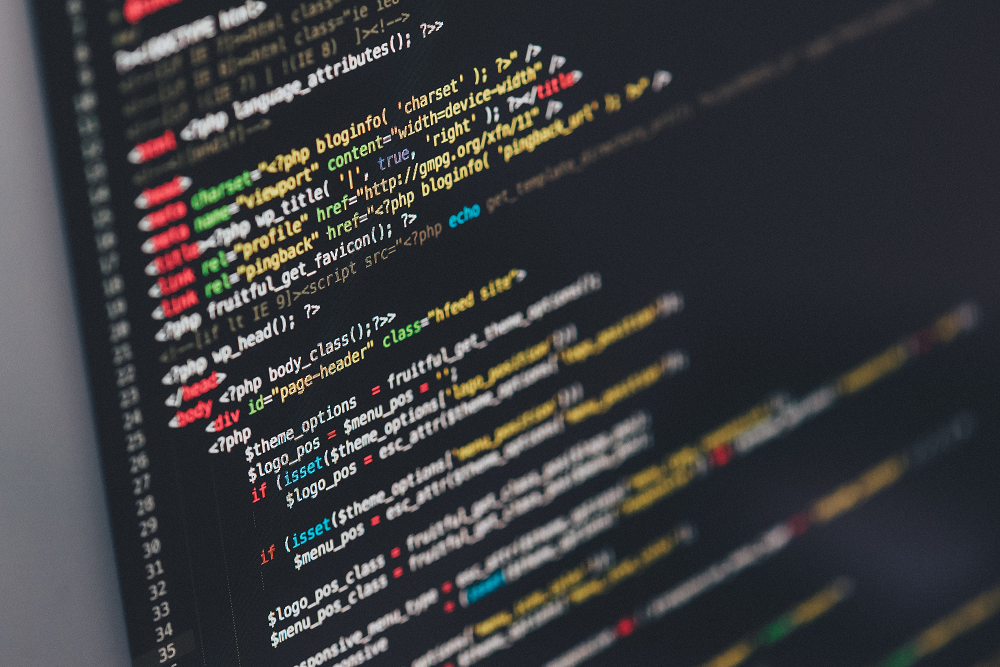
The Modern Web Development Toolkit: What Developers Use Today
The toolkit evolves constantly, but the fundamentals stay sharp. Most developers now work in environments tailored for speed, clarity, and collaboration. Lightweight code editors like VS Code have become the default. Version control is non-negotiable — Git, GitHub, GitLab, Bitbucket. Clean commits aren’t just a habit; they’re a form of communication.
Component-based frameworks like React, Vue, and Svelte shape much of what’s visible online. They’re not “trends”—they’re mindsets. Modular thinking. Reusable logic. Atomic design. Code you can read and scale.
Here’s a modern developer’s everyday stack—adaptable, composable, and fast:
- Static site generators: Astro, Next.js, Hugo—for speed and scalability
- Component libraries: Storybook, Chakra UI, Tailwind—for visual consistency
- Headless CMS: Sanity, Strapi, Contentful, headless WordPress—for structured content
- Build & deploy: Vite, Webpack, Netlify, Vercel—for instant iteration
And then there’s automation.
AI copilots and code assistants are now part of the workflow—GitHub Copilot, Tabnine, intelligent linters. They’re here to accelerate, not replace. They debug, suggest, and autocomplete, freeing mental space for logic, architecture, and performance.
On the content side, CMS tools have become less about themes and more about logic. Structure first. Presentation second. Markdown or block-based, API-driven or visual—it all depends on the team, the project, and the client.
And still, tools aren’t the answer. They’re the question. The best ones won’t fix your spacing logic. They won’t tell you a 14px font feels like a whisper on mobile. They won’t remind you that 400ms of scroll lag is enough to lose a user before the first tap. That’s still on us.
What great developers never skip:
- Real-device testing (not just browser previews)
- Network throttling tests (because not everyone has 5G)
- Accessibility audits (because empathy is part of the job)
- Page weight checks (because performance is perception)
Taste and testing. That’s how you build something that holds, even when the Wi-Fi doesn’t.

How Designers and Developers Work Together (When It Actually Works)
The best collaboration doesn’t begin with a handoff. It begins with a conversation, before the first frame is drawn.
We’ve learned this through the things that went wrong. Designs that looked flawless in Figma but jittered in production because the easing curves weren’t possible with the existing front-end stack. Layouts that fell apart on mobile because the dev team didn’t get context—or worse, got too late a say.
So now, we do it differently. Developers aren’t the final step. They’re co-architects. We involve them during naming systems, wireframes, content flows. We test ideas in code before we refine them in design.
Here’s what a working rhythm looks like:
- Shared language: spacing tokens, type scales, semantic naming
- Shared tools: design systems, component libraries, version-controlled prototypes
- Shared concerns: page weight, tap targets, load states, scroll speed
- Shared ownership: no more “your file” vs. “my branch”—it’s the same interface
That’s what collaboration is. Not just working in parallel, but building together. A shared intent to make it work.

Website Builders vs Custom Code: Which One Do You Actually Need?
Not every project needs custom code. Not every project can live without it.
Tools like Webflow, Framer, and Wix Studio have radically redefined what’s possible without a single line of JavaScript. You can design, build, and deploy a fully responsive site—complete with animations, CMS, localization, even e-commerce—in a matter of days.
But here’s the trade-off: Ease comes with edges.
You’ll get 80% there, fast. But the moment you hit something outside the tool’s logic—a non-standard scroll animation, a multi-locale structure with conditional routing, programmatic page generation, or deeply customized accessibility logic—you’re bending the tool in ways it doesn’t like to bend.
When builders shine:
- Launching marketing sites on a deadline
- Building one-pagers, portfolios, and landing pages
- Empowering content teams to make quick edits without devs
- Creating interactive prototypes with real behavior
When custom code becomes essential:
- Integrating with complex APIs or third-party systems
- Creating bespoke animation logic or scroll-based effects
- Optimizing for performance beyond what a visual builder can offer
- Meeting strict accessibility, SEO, or legal compliance requirements
- Building products, platforms, or anything beyond static content
We’ve launched entire campaign microsites in Webflow—fast, modular, beautiful. And we’ve written thousands of lines of custom JavaScript and GLSL for an interactive 3D product showcase with zero tolerance for performance lags.
Both were right. Neither was “better.” Because “better” depends on the brief. Custom code gives you control—over every kilobyte, every animation curve, every route and interaction. Website builders give you speed, and a low barrier to entry for non-devs. The key isn’t picking a side. It’s knowing what you’re optimizing for, and who needs to own the tool once the site goes live.

Why Web Development Still Matters (More Than Most People Realize)
Websites aren’t brochures with a navigation bar anymore, they’re products. They’re where a brand proves itself—not through slogans, but through behavior. How fast it responds. How clearly it guides. How calmly it handles friction.
Web development is what decides whether a site:
- loads in under a second or leaves the user staring at a spinner
- adapts gracefully to small screens or fights the thumb
- supports accessibility tools or quietly excludes people
- scales when traffic spikes or collapses under its own weight
These aren’t technical details. They’re brand decisions, made in code. A user may forget your logo. They won’t forget how your site felt on a bad connection. Or whether it respected their time.
Did it answer the question in two taps or five? Did the layout breathe, or did it feel cramped and anxious? Did the interaction feel intentional or accidental? This is where development becomes brand language.
It’s not back-end versus front-end. Not design versus code. It’s rhythm. When scroll speed, typography, spacing, motion, and interaction align, the site stops feeling like a page. It starts feeling like a place—one people trust enough to stay in.
What’s Shaping the Direction of Web Development
Some shifts are visible. Others are structural.
AI-assisted development is becoming part of everyday workflows. It speeds up repetitive tasks, suggests patterns, catches errors early. But it doesn’t replace judgment. Architecture, performance decisions, and user empathy still belong to humans.
Design-to-code pipelines are tightening. Component libraries, tokens, and shared systems reduce friction between design and development. Less translation. Fewer mismatches. More consistency across screens.
Motion and dimensionality are returning—carefully. Not as spectacle, but as guidance. Subtle depth. Responsive transitions. Feedback that explains state, not distracts from it.
Privacy-aware and local-first approaches are gaining ground. Storing data responsibly. Reducing unnecessary tracking. Designing experiences that work even when the network doesn’t.
Yet underneath all of this, the fundamentals remain unchanged. Clear structure. Thoughtful pacing. Interfaces built by people who care about the things users never consciously notice, but always feel.
That’s the work. Still.
Recommended Reading
Want more?
We’ve written more deep dives on web, design, and the logic behind great interfaces.
Start exploring—you might end up rethinking more than your layout.
11 Fancy and Practical UX Design Projects for Web and Mobile
6 Essential Elements of a Company Website Design
Big Little Details: 7 Helpful Elements of Web Usability